
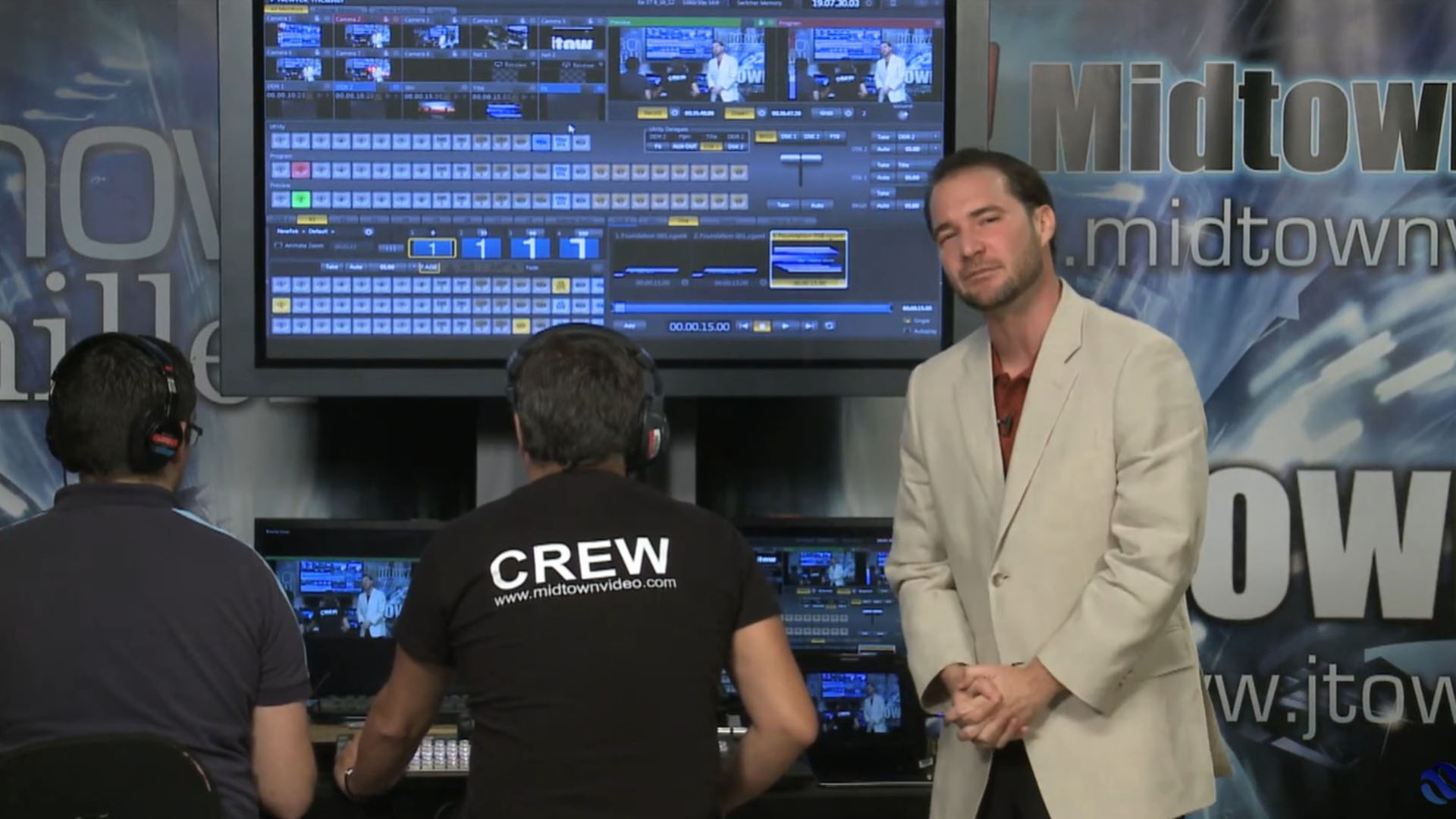
Photo of the Midtown Video team during a Tricaster demo we made in 2013.
Podcasting? If it isn’t on a TriCaster, you’re probably missing out.
I’ve been a TriCaster user since 2010. Back then, there were legitimate concerns about a “software-based switcher,” the idea that it was as vulnerable as any Windows PC to crashes, driver conflicts, and general computer chaos. Sixteen years later, those concerns are essentially ancient history. Today’s TriCaster runs on high-end Dell servers with a hardened, embedded version of Windows and the TriCaster application itself handles the heavy lifting. These machines include hardware failover to SDI and redundant power supplies built in. It’s not your laptop running OBS. It’s a production system built like a broadcast truck.
But the real reason I keep coming back to TriCaster isn’t just reliability. It’s everything else that comes in the box.
TriCaster Pioneered NDI — Others Are Still Playing Catch-Up
TriCaster didn’t just support NDI (Network Device Interface) they invented it. NDI is the protocol that lets you send broadcast-quality video over a standard IP network, eliminating the need for dedicated SDI runs. While other switchers grudgingly tolerate NDI, or skip it entirely, TriCaster treats it as a first-class citizen.
It’s Not Just a Switcher — It’s an Entire Production Studio
This is where TriCaster really separates itself. Most switchers switch cameras. TriCaster does that and:
Multiple M/Es and Mix Busses — Handle complex productions with multiple program and preview environments simultaneously.
Scalers on Every Input — You can mix resolutions with ease, and PiP’s and DSK’s scale and resize with such intuitive control it’s almost as much fun as controlling your PTZ’s from the Tricaster interface.
Built-in Clip Players — Roll pre-produced packages, B-roll, or sponsor spots without a separate playback machine.
Graphics Buffers — Display still graphics and animated overlays natively, no external CG needed.
Recording + Streaming — Simultaneously record and stream to multiple destinations, in at least two different resolutions, all from one box.
Virtual Sets — Drop talent into broadcast-quality virtual environments for remote productions or stylized studio looks.
Pre-Populated, Text-Editable Templates — This one is huge for podcasters and small production teams. You get professional lower-thirds, name cards with photo support, and show graphics that you can actually edit without a designer. Swap out the text, update the name, hit go. That’s pro-level production accessible to anyone.
The Data Engine: Built for Data-Heavy Productions
TriCaster includes a data engine that can automatically ingest live sports scores and stats, read XML files for election night coverage, pull in weather data, and handle any production where information needs to flow on-screen in real time.
Macros: The Automation Nobody Talks About Enough
You can program TriCaster macros to automate entire rundowns. I’m talking about a morning announcements scenario where the opening credits roll, the pledge of allegiance plays, cameras cut on cue, clips play back on schedule — all triggered by a single button or a clock event. The level of sophistication you can build into a TriCaster macro system rivals dedicated broadcast automation systems that cost multiples more.
Web Panels: Multi-Operator, One System
TriCaster’s web panel architecture lets multiple operators access different areas of the production simultaneously — all from a single TriCaster unit. Your graphics operator can be updating lower-thirds, your audio operator can be managing mix levels, and your TD can be calling cameras, all without stepping on each other. This is a game-changer for small teams running big shows.
StreamDeck and Bitfocus Companion Integration
This unlocks the holy grail: simplify TriCaster operation to just two buttons, “start” and “stop”. A clever admin/user can hand a lower-level operator a simple StreamDeck page for their role. It dramatically lowers the barrier to entry for live production training.
Live Call Connect + Zoom: The Remote Guest Problem, Solved
TriCaster was the first switcher to release “Live Call Connect,” which brought Zoom directly into the TriCaster interface and created individual, independently controllable sources from each attendee. Now, with Zoom’s advanced media options delivering clean, high-bandwidth NDI remote feeds, TriCaster is perfectly positioned to handle professional-grade remote guests. No NDI conversion boxes. No patch cables. Just clean video from your remote guests, directly into your production.
The Bottom Line
I could keep going, but the short version is this: every production challenge I’ve faced over 16 years, TriCaster has had an answer for it. Sometimes before I even knew I had the question.
If you’re producing podcasts, live events, church broadcasts, corporate video, or anything in between on something else, I’d love to show you what you’re missing.
Click the button below to book your TriCaster consultation. We’ll even send you a baseball cap featuring the Midtown and Vizrt logos as a thank-you.
Book Your TriCaster Consultation →
Jesse Miller has been a TriCaster user and Vizrt partner since 2010. Midtown Video is based in Miami and specializes in live production, podcasting, and broadcast solutions.